Free App
Pomodoro Timer: only what matters gets through
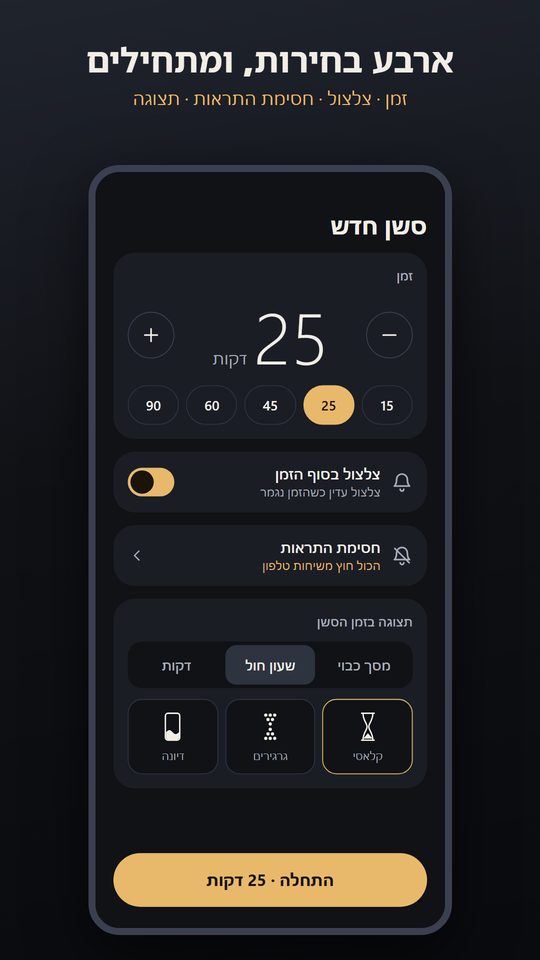
A simple focus timer for Android. Open it, make four choices and start: how long, a chime at the end or silence, which notifications to block, and what you see on the screen while you work. Nothing blocked is lost: notifications wait for the end of the session and come back on their own. Free, no ads, no account and no internet permission at all. The app's interface is in Hebrew.
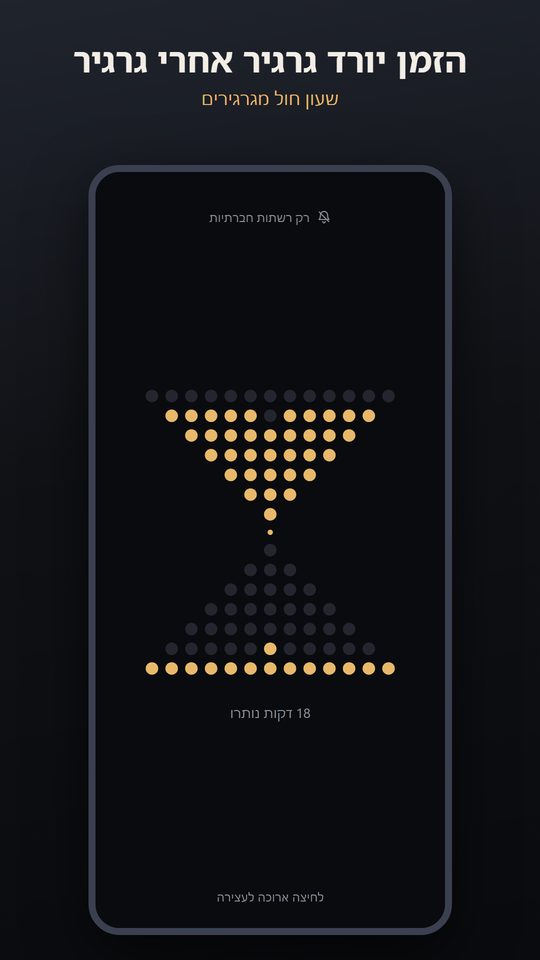
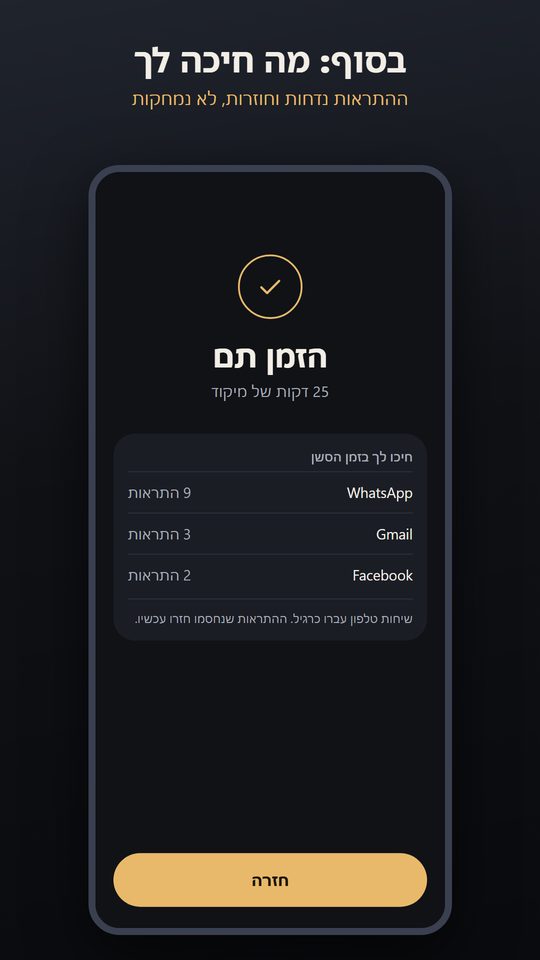
The screenshots are mock-ups of the version 1.0.1 screens (November 2026).
What the app does
Four choices, then start
Duration (15, 25, 45, 60 or 90 minutes in one tap, or in 5-minute steps up to three hours), chime or silence, blocking group and display. Your choices are kept for next time.
Blocking you choose
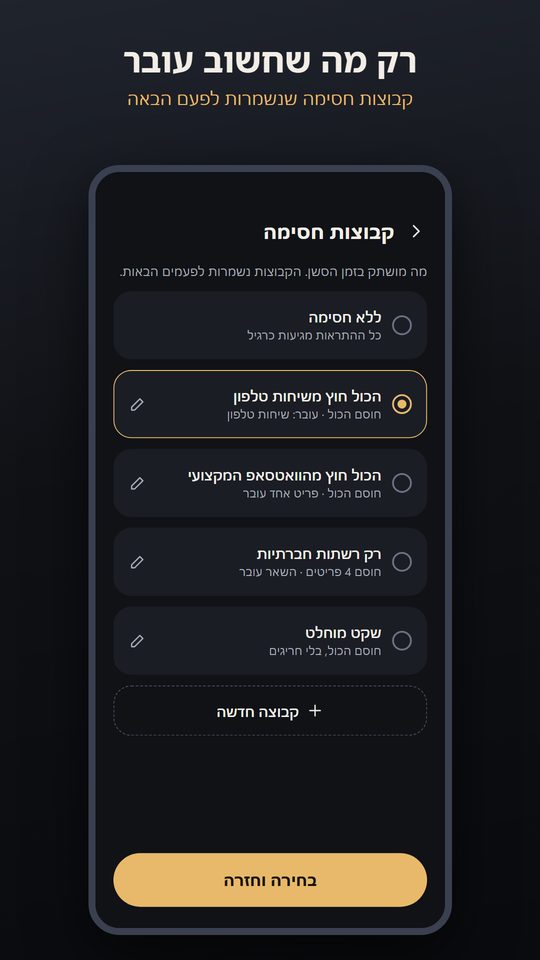
Each group is either "block everything except..." or "block only...", with a switch for every app and for phone calls. Ready-made: everything except calls, everything except the work WhatsApp, social media only, total silence.
Nothing is deleted
A blocked notification is snoozed until the session ends and then returns by itself. At the end you see how many notifications waited from each app, and go through them calmly.
A dark screen
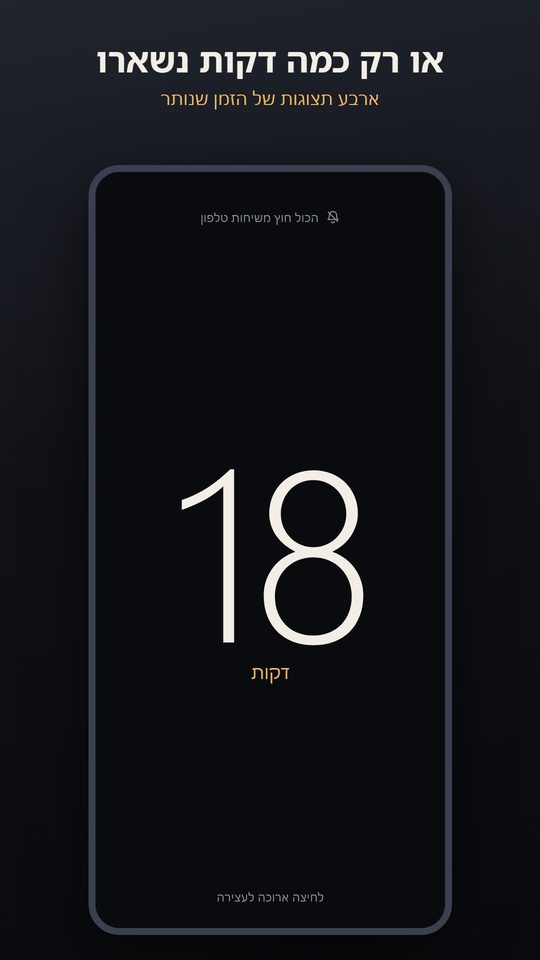
The screen is fully dark, with nothing to catch your eye. A double tap shows the time left for a moment.
Three hourglasses
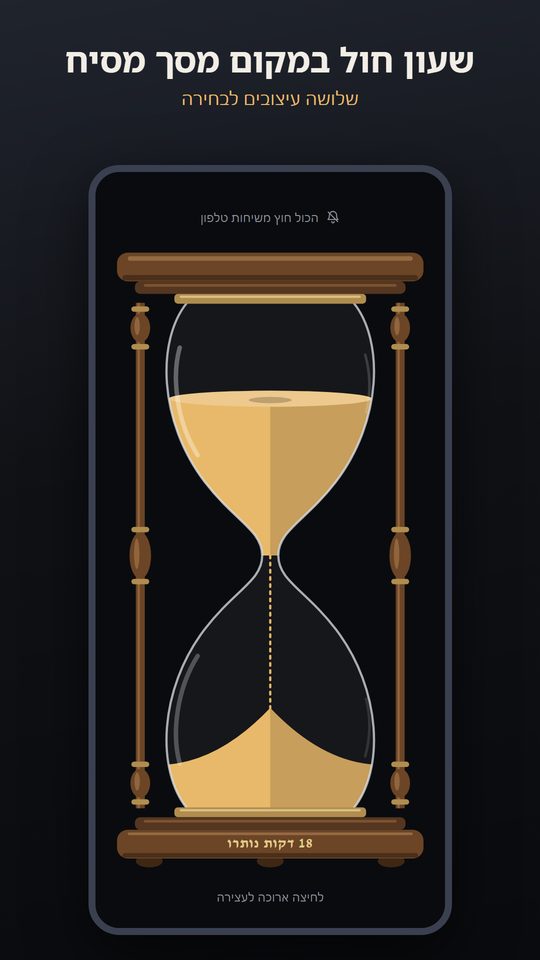
A vintage hourglass of wood, brass and glass that fills the screen, a grain hourglass, or a dune. The sand falls with the time left.
Four minute displays
A thin numeral, a ring with minutes and seconds, a numeral that drains, or a dot for every minute. The number counts down what is left, not what has passed.
How the blocking works
During a session with a blocking group, the app asks Android to mute notification sounds and, if calls are blocked in the group, the ringtone too. A notification from a blocked app is snoozed until the session ends. A notification from an allowed app stays, and gets a sound and a short vibration from the app, because the original sound was muted. Notification content is never read: only the app name, and whether it is a call, are checked.
What the research says, and what made it into the app
The idea is simple: an interruption costs more than it seems, even when you do not answer it. So the app does not only count time; it also turns the noise down during that time, without cutting you off from what is really urgent.
| Finding | Source | In the app |
|---|---|---|
| Merely receiving a notification, without opening it, increased errors on an attention task, by a margin comparable to actively using a phone. A call was more disruptive than a text. | Stothart, Mitchum & Yehnert, Journal of Experimental Psychology: Human Perception and Performance 41(4), 2015, lab experiment with 166 students | A blocked notification is snoozed silently, with no sound and no vibration. |
| A week with notifications on versus a week with them off: with notifications on, participants reported more inattention and hyperactivity, and inattention predicted lower productivity. | Kushlev, Proulx & Dunn, CHI 2016, two-week field experiment | Saved blocking groups: silence the noise in one tap, without switching the phone off. |
| People interrupted in the middle of a task finished it faster, but at a price: more stress, frustration, time pressure and effort. | Mark, Gudith & Klocke, CHI 2008, The cost of interrupted work | What is truly urgent (calls, or one app you chose) still gets through. The rest waits. |
| Pre-set Pomodoro breaks, compared with breaks students set for themselves: less fatigue and distraction, more concentration and motivation, and the same amount of work done in less time. | Biwer, Wiradhany, oude Egbrink & de Bruin, British Journal of Educational Psychology 93(S2), 2023, study of a real day of studying | You set the time in advance and the timer decides when it ends. No need to ask yourself every fifteen minutes. |
| The decline in vigilance on a long task comes from habituation to the goal; brief, rare breaks from the task prevented it. | Ariga & Lleras, Cognition 118(3), 2011, Brief and rare mental breaks | A gentle chime at the end of the session: a cue to get up, not another notification. |
Privacy, for real
The app has no internet permission at all. No account, no server, no analytics and no ads. Notification access is optional: it is requested only when you choose a blocking group, after a screen that explains exactly what it does, and the app blocks and counts only during a session. Settings and groups are stored on the phone only, and uninstalling the app deletes everything. Full details in the privacy policy (in Hebrew).
Frequently asked
What is a Pomodoro?
A work method devised by Francesco Cirillo in the late 1980s: work for a fixed stretch with no interruptions, then take a short break. The name comes from a tomato-shaped kitchen timer (pomodoro is Italian for tomato). The app does not lock you into 25 minutes: pick whatever suits you.
What happens if I stop early?
A long press on the screen stops the session. Snoozed notifications come back at the original end time, because Android has no public way to cancel a snooze. The summary screen tells you when they will return.
Are phone calls blocked too?
Only if you choose so. In the "everything except phone calls" group, calls come through as usual. Muting the ringtone for blocked calls depends on the phone's manufacturer.
Why does it need notification access?
Without it, Android does not let one app snooze another app's notifications. The access is used only to check which app a notification came from. With no blocking (the "no blocking" group) the app works without it.
Is there an iPhone version? Can I get it outside Israel?
No iPhone version: selective notification blocking is only possible on Android. The app is in Hebrew and is currently available on Google Play in Israel.
Work next to someone whose phone never goes quiet?
Send them the link. That is all we ask. The app is free and will stay that way.
Pomodoro Timer on Google Play