Free Windows App
appotto MD: Hebrew Markdown, right to left
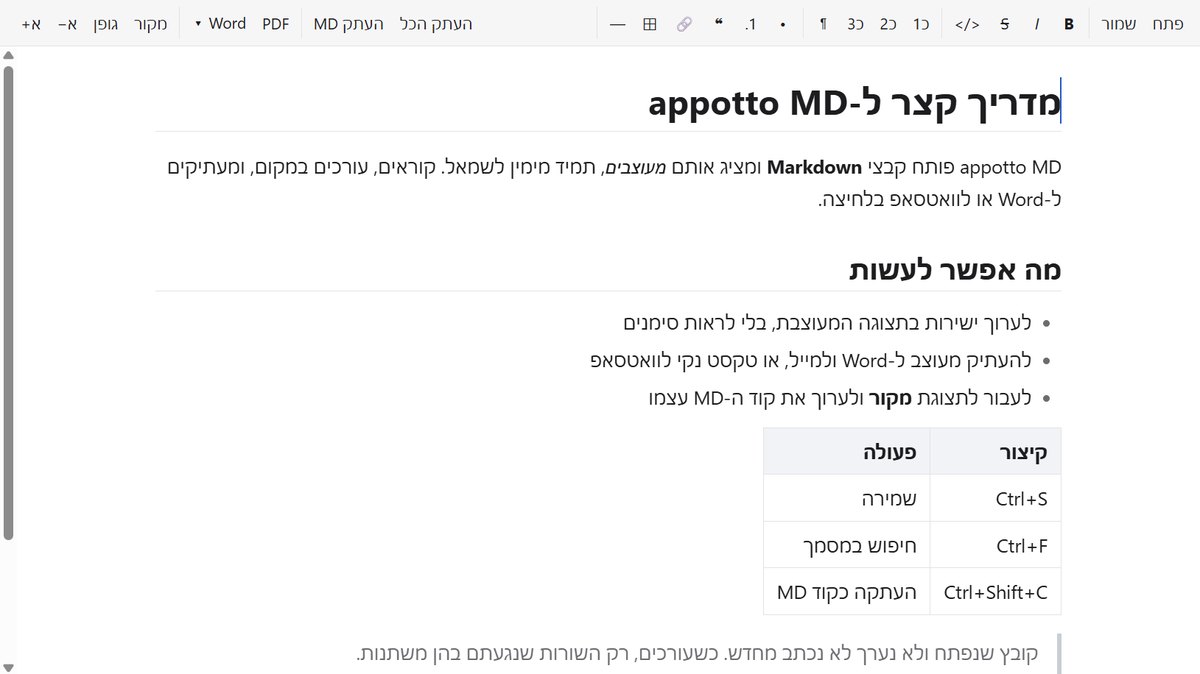
A small app for reading and editing Markdown files in Hebrew. Everything is right-aligned, you edit directly on the formatted text, and you can copy to Word, email or WhatsApp without the text flipping direction. The app itself is in Hebrew.
Why it exists
Markdown is the format of notes, working documents and, above all, of what AI assistants produce. In Hebrew, most editors show it left to right, punctuation jumps to the wrong side, and pasting into Word comes out reversed. appotto MD does one thing: it shows and edits Hebrew Markdown properly.
Always right to left
Paragraphs, lists, tables, quotes and code blocks. No language detection and no settings: everything is right-aligned, and a line that starts in English still reads correctly.
Edit the formatted text
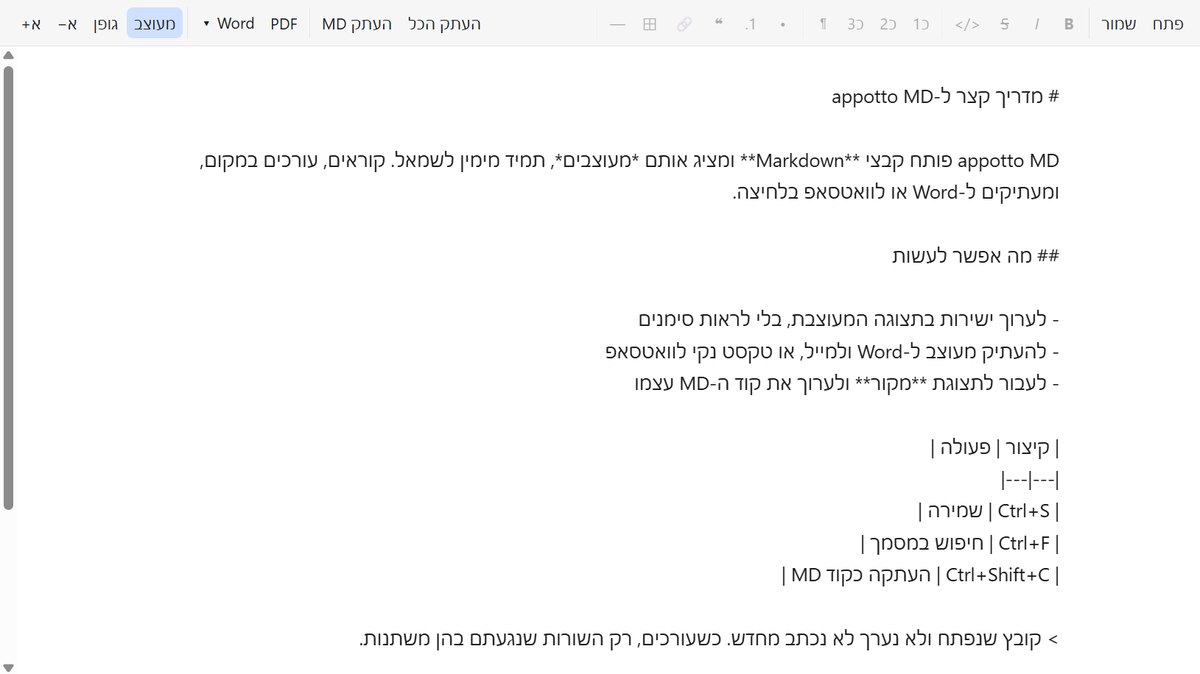
No need to see asterisks and hashes to write. Bold, headings, lists, links and tables from the toolbar or the keyboard. For the code itself, press "Source".
Copying that works
Ctrl+C pastes right to left into Word and email, and as clean text into WhatsApp. Ctrl+Shift+C copies as Markdown code.
Leaves your file alone
A file you open and don't edit is never rewritten. When you edit, only the lines you touched change; everything else stays byte for byte.
Reloads by itself
When another program changes the file, for example an AI assistant writing to it, the editor loads the new version where you left off.
Export to PDF and Word
One button saves the document as a PDF, exactly as it looks; another saves it as a real Word file with headings, lists and tables, right to left. Pick a Word template once, such as letterhead with your logo, and every export uses it: its header and footer, margins, fonts, heading styles and line numbering.
Opens Word files too
Open a DOCX file and get a Markdown document with its headings, bold text, lists and tables. Images are not carried over, since Markdown keeps them as separate files.
Shortcuts on a Hebrew keyboard
Word's formatting shortcuts (Ctrl+B for bold, Ctrl+Alt+1 for a heading and more), a shortcut for every button, all working even when the keyboard is set to Hebrew. Right-click for copy, paste, spelling suggestions and table tools.
Installing
- Download the installer with the button above and run it.
- Windows may show "Windows protected your PC", because the app is not yet digitally signed. Click "More info", then "Run anyway".
- The installer shows the terms of use. Continue with "I agree" (the installer is in Hebrew). No administrator rights are needed.
- To open Markdown files with a double-click: right-click a .md file, "Open with", "Choose another app", "appotto MD", then "Always".
Version 1.0.1 · 109 MB · Windows 10 or 11, 64-bit.
Verify the file (SHA-256)
e3ab94c480005bd13e289c6b6dc61978168edd5e6c7607e8997678816b7264e0
Privacy
The app runs only on your computer. It collects no data, sends file contents nowhere, and has no account, ads or tracking. An image that a document links to on the web is loaded from that address, and a link you choose to open opens in your browser.
Terms of use
The app is free to use, at your own risk. It is provided as is, with no warranty of any kind, and the developer is not liable for damage arising from its use, to the extent the law allows. The binding terms are in Hebrew; they are shown during installation and in full below.
Full terms of use (Hebrew)
גרסה 1.0, עודכנה ביום 7 בנובמבר 2026
1. כללי
1.1. appotto MD (להלן: "התוכנה") היא תוכנה לקריאה ולעריכה של קבצי Markdown בעברית. את התוכנה פיתח רוני מרטן, והוא מפיץ אותה במסגרת APPOTTO (להלן: "המפתח").
1.2. התקנת התוכנה, העתקתה או השימוש בה מעידים על הסכמתך לתנאים אלה. אם אינך מסכים להם, אל תתקין את התוכנה ואל תשתמש בה, ואם כבר התקנת אותה, הסר אותה מהמחשב.
1.3. התנאים מנוסחים בלשון זכר מטעמי נוחות בלבד, והם חלים על כל אדם.
2. הרישיון
2.1. המפתח מעניק לך רישיון שימוש בתוכנה ללא תמורה. הרישיון אינו בלעדי ואינו ניתן להעברה, והוא מתיר שימוש בתוכנה לכל מטרה, פרטית או עסקית, בכל מספר של מחשבים.
2.2. מותר לך להעביר לאחרים את קובץ ההתקנה כפי שהורד מאתר APPOTTO, בלי לשנות אותו ובלי לגבות תמורה.
2.3. אסור למכור את התוכנה, להשכיר אותה, לגבות תמורה בעדה, להפיץ גרסה משונה שלה, או להציג אותה כמוצר של מי שאינו המפתח.
2.4. כל הזכויות בתוכנה, ובהן זכויות היוצרים, שמורות למפתח, למעט הזכויות ברכיבי צד שלישי שבסעיף 3.
3. רכיבי צד שלישי
התוכנה כוללת רכיבי קוד פתוח של צדדים שלישיים, ובהם Electron, Chromium ו-Milkdown. כל רכיב כפוף לרישיון שלו, ונוסחי הרישיונות מצורפים לתוכנה בתיקיית ההתקנה. תנאים אלה אינם גורעים מזכות שרישיון כזה מעניק לך.
4. התוכנה ניתנת כפי שהיא
4.1. התוכנה ניתנת חינם, במצבה כפי שהוא, בלי מצג ובלי התחייבות מכל סוג, מפורשת או משתמעת. בין היתר, המפתח אינו מתחייב שהתוכנה מתאימה למטרה מסוימת, שהיא תפעל בלי תקלות או שגיאות, שהיא תשמור את הקבצים בדיוק כפי שהיו, או שהיא תתאים לחומרה ולתוכנות אחרות במחשב שלך.
4.2. המפתח אינו מחויב לספק תמיכה, עדכונים או תיקונים, והוא רשאי להפסיק את הפצת התוכנה בכל עת.
4.3. השימוש בתוכנה הוא על דעתך ובאחריותך בלבד. באחריותך לשמור עותקי גיבוי של הקבצים שאתה פותח ועורך בתוכנה.
5. הגבלת אחריות
5.1. במידה המרבית שהדין מתיר, המפתח לא יישא באחריות כלשהי, חוזית, נזיקית או אחרת, לנזק שייגרם לך או לצד שלישי בקשר לתוכנה, להתקנתה או לשימוש בה. הפטור חל, בין היתר, על אובדן מידע או קבצים, שינוי או השחתה של קבצים, אובדן רווח, הפסקת עבודה ונזק עקיף או תוצאתי, אף אם הובא לידיעת המפתח שנזק כזה עלול להיגרם.
5.2. סעיף 5.1 אינו פוטר את המפתח מאחריות שהדין אינו מתיר לפטור ממנה, ובכלל זה אחריות לנזק גוף ואחריות לנזק שנגרם בזדון.
6. פרטיות
התוכנה פועלת במחשב שלך בלבד. היא אינה אוספת מידע עליך או על השימוש בה, ואינה שולחת את תוכן הקבצים לשום גורם. כאשר מסמך מפנה לתמונה שנמצאת באינטרנט, התוכנה טוענת אותה מהכתובת שבמסמך. קישור שאתה בוחר לפתוח נפתח בדפדפן שלך.
7. שונות
7.1. המפתח רשאי לעדכן תנאים אלה. גרסה חדשה של התוכנה תכלול את התנאים המעודכנים, והם יחולו על השימוש בה.
7.2. על תנאים אלה יחולו דיני מדינת ישראל.
7.3. לפניות: [email protected]
Questions
Does it work on Mac or Linux?
No. For now only Windows 10 and 11, 64-bit.
Why is the download so large?
The app is built on Electron, which brings its own rendering engine. That is the price of Hebrew that displays correctly on every computer, independent of the installed browser.
Are there automatic updates?
No. The app does not go online to look for updates. New versions will be posted on this page.
Can it open PDF or old DOC files?
No. Converting them to clean Hebrew is not reliable enough, so the app does not try. When you open such a file, it suggests opening it in Word and saving as DOCX, or converting it on an external site such as CloudConvert. Those sites are not affiliated with us; avoid uploading sensitive documents.
Can I share it?
Yes. Send the link to this page, or the installer as downloaded, unchanged and free of charge.
Writing Markdown in Hebrew?
appotto MD is free, with no ads and no sign-up. If it saves you frustration, send it to someone who works next to you.
Download for Windows (109 MB)